15 Essential SEO Tools Every Website Owner Needs
Why SEO Tools Are Essential
Search engine optimization is not a one-time task — it requires ongoing analysis, monitoring, and adjustment. Having the right SEO tools makes this process efficient and effective. Whether you are a blogger, small business owner, or marketing professional, the right tools can dramatically improve your search visibility.
Many powerful SEO tools are available for free. In this guide, we will walk through the essential SEO tools every website owner should have in their toolkit.
On-Page SEO Tools
Meta Tag Analyzer
Your meta tags are the first thing search engines see when they crawl your pages. The Meta Tag Analyzer lets you preview exactly how your page will appear in search results, including the title and description. This helps you optimize for click-through rate and ensure your tags are within recommended character limits.
Keyword Density Checker
Keyword density matters, but over-optimization can hurt your rankings. The Keyword Density Checker analyzes your content and shows you the frequency and distribution of your target keywords. This helps you maintain a natural keyword balance.
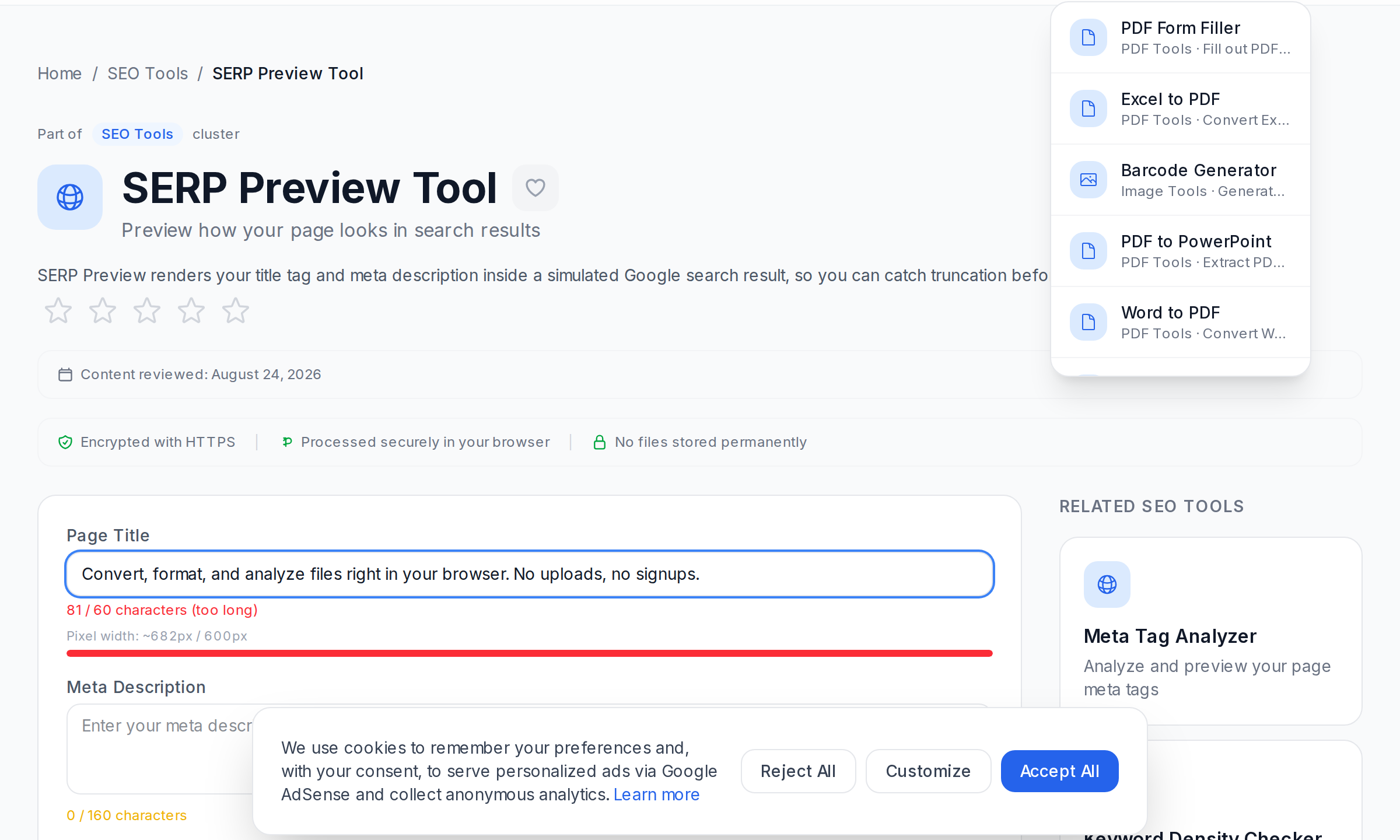
SERP Preview Tool
See exactly how your page will look in Google search results before you publish. The SERP Preview Tool shows you a realistic preview of your title tag and meta description.
Heading Structure Checker
Proper heading hierarchy (H1, H2, H3) is important for both SEO and accessibility. The Heading Structure Checker analyzes your page and flags any issues with heading levels or missing H1 tags.
Technical SEO Tools
Sitemap Generator
A sitemap helps search engines discover and index all pages on your website. The Sitemap Generator automatically creates a comprehensive XML sitemap for submission to Google Search Console.
Robots.txt Generator
The robots.txt file tells search engine crawlers which pages to access and which to skip. The Robots.txt Generator helps you create a properly formatted file with the right directives.
SSL Checker
HTTPS is a ranking signal and trust indicator. The SSL Checker verifies that your SSL certificate is valid, properly installed, and not expiring soon.
Page Speed Analyzer
Page speed directly impacts rankings and user experience. The Page Speed Analyzer evaluates your loading speed and provides actionable recommendations for improvement.
Content Optimization Tools
Internal Link Analyzer
Internal links distribute authority and help users navigate. The Internal Link Analyzer maps your internal linking structure and identifies pages with too few or too many internal links.
Alt Text Checker
Image alt text is crucial for accessibility and image search rankings. The Alt Text Checker scans your pages and identifies images missing alt text or with inadequate descriptions.
Readability Checker
Content that is easy to read performs better in search engines. The Readability Checker scores your content using established readability formulas and provides suggestions.
Monitoring and Analysis Tools
Broken Link Checker
Broken links damage user experience and hurt SEO. The Broken Link Checker scans your pages and identifies any dead links that need fixing.
Open Graph Checker
When your content is shared on social media, Open Graph tags determine what appears. The Open Graph Checker validates your OG tags and shows a preview of how your links will appear when shared.
Schema Markup Generator
Structured data helps search engines understand your content and can earn you rich snippets. The Schema Markup Generator creates JSON-LD structured data for articles, products, and events.
Building Your SEO Workflow
- Before publishing — Use the SERP Preview Tool and Keyword Density Checker.
- After publishing — Run the Sitemap Generator, Heading Structure Checker, and Alt Text Checker.
- Monthly — Check Page Speed, SSL status, broken links, and internal linking.
- Quarterly — Perform a comprehensive audit using all tools.
References
Frequently Asked Questions
How often should I check my SEO performance?
At minimum, perform a monthly SEO check covering page speed, broken links, and SSL status. Content checks should happen before and after every publication.
Do I need paid SEO tools?
Free tools cover the essentials. Paid tools offer deeper competitive analysis, but fundamental optimization can be handled with free alternatives.
What is the most important SEO factor?
SEO combines many elements. Quality content, proper meta tags, page speed, and mobile-friendliness consistently rank among the most impactful.
How do I check if my site is indexed by Google?
Search for "site:yourdomain.com" in Google. For detailed data, use Google Search Console.
What are the most common SEO mistakes?
Missing meta tags, slow page speed, broken links, poor heading structure, missing alt text, and thin content are the most common issues.
How long does it take for SEO changes to show results?
Technical fixes can show results within days. Content and backlink improvements typically take weeks to months.
What is the difference between on-page and off-page SEO?
On-page SEO focuses on optimizing elements within your website. Off-page SEO involves external factors like backlinks and social signals.
Conclusion
SEO does not have to be complicated or expensive. By leveraging free tools like the Meta Tag Analyzer, Keyword Density Checker, SERP Preview Tool, Sitemap Generator, and Robots.txt Generator, you can effectively optimize your website and monitor its performance. Start with the basics and your search rankings will improve over time.
Frequently Asked Questions
How often should I check my SEO performance?
Do I need paid SEO tools?
What is the most important SEO factor?
How do I check if my site is indexed by Google?
What are the most common SEO mistakes?
How long does it take for SEO changes to show results?
What is the difference between on-page and off-page SEO?
Related Tool Categories
Explore free online tools related to this article:
Related Tools
Try these free online tools mentioned in this article:
Meta Tag Analyzer
Analyze and preview your page meta tags
Keyword Density Checker
Check keyword density and distribution in your content
Robots.txt Generator
Generate and validate robots.txt files
Heading Structure Checker
Verify your HTML heading hierarchy for SEO and accessibility
AI Image Tool
Generate AI image prompts, descriptions, alt text, and metadata for any image concept
Related Articles
10 Developer Tools Every Coder Needs in Their Toolkit
From Base64 encoders to UUID generators, these developer tools will make your coding life significantly easier.
QR Code Generation: Everything You Need to Know
A complete guide to QR code generation — from basic concepts to advanced use cases in marketing, events, and business.
How to Create and Edit PDF Documents Online
Learn how to create, edit, and manage PDF documents online using free browser-based tools. No software installation required.
Calculators for Personal Finance: A Complete Guide
Take control of your finances with these essential free online calculators for loans, EMI, currency conversion, and more.