Text Processing Tips for Writers and Editors
Why Text Processing Matters for Writers
Writing is only half the battle. The editing and processing phase is where good writing becomes great. Whether you are crafting blog posts, editing manuscripts, preparing academic papers, or creating marketing copy, having the right text processing tools and techniques can dramatically improve your efficiency and output quality.
Word Counting and Text Statistics
Knowing Your Numbers
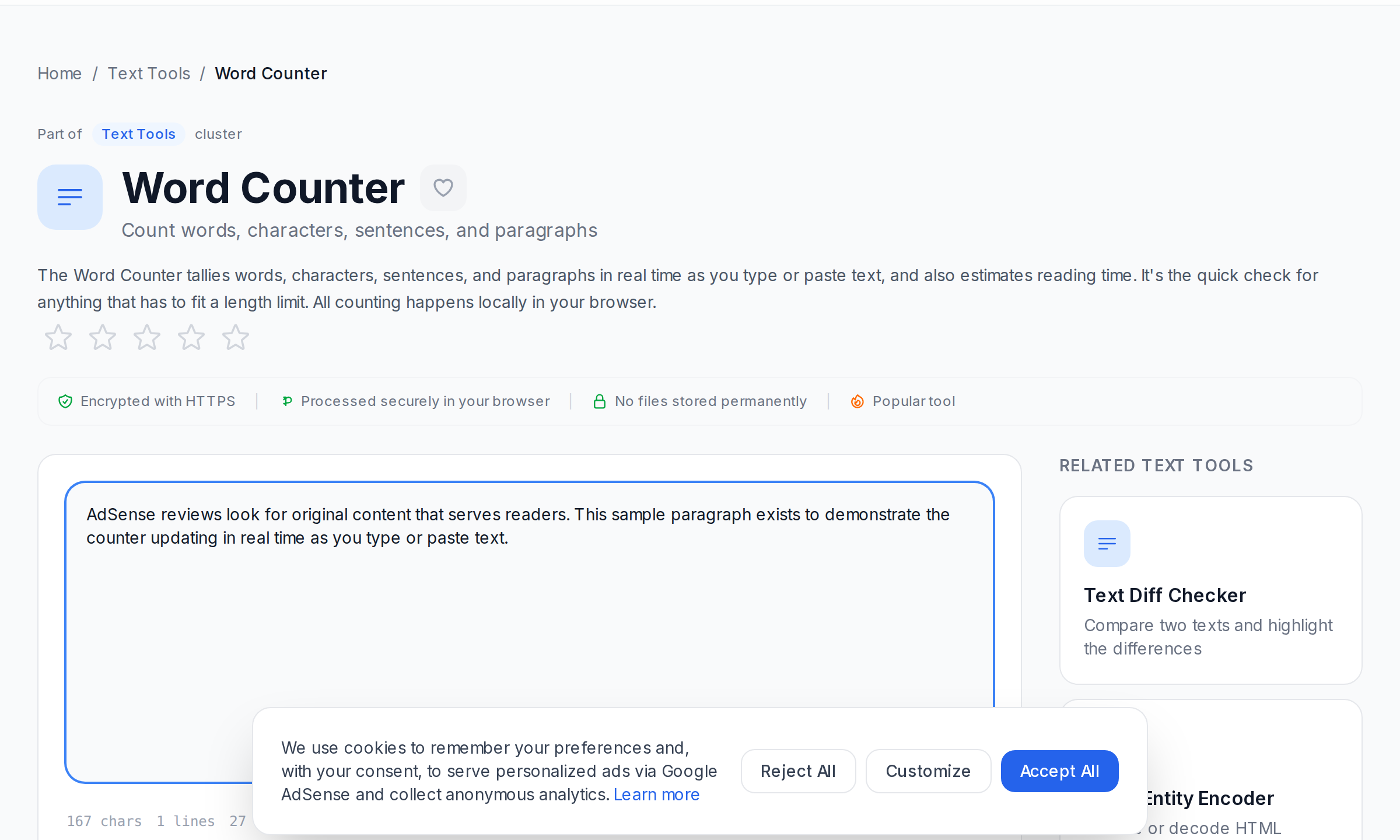
Word count affects everything — SEO rankings, reading time estimates, content structure, and reader engagement. The Word Counter provides real-time statistics including word count, character count, sentence count, paragraph count, and estimated reading time. Use it to ensure your content meets length requirements and to set writing goals.
Optimal Content Length
- Blog posts: 1,000-2,500 words (aim for comprehensive coverage)
- Social media posts: Under 280 characters for Twitter, 1,300 for LinkedIn
- Email subject lines: 30-50 characters for optimal open rates
- Meta descriptions: 150-160 characters for optimal click-through
- Academic abstracts: 150-300 words typically required
Readability Analysis
Making Your Writing Accessible
Even the best content fails if readers cannot understand it. The Readability Checker evaluates your text using established readability formulas and provides a clear score indicating how easy your text is to read and understand.
Readability Tips
- Use short sentences — Aim for an average of 15-20 words per sentence.
- Use simple words — Replace complex words with simpler alternatives when possible.
- Use active voice — Active voice is clearer and more engaging than passive voice.
- Use subheadings — Break long text into scannable sections with descriptive headings.
- Use bullet points — Lists are easier to scan than long paragraphs.
Spelling and Grammar
Spell Checking
Spelling errors undermine credibility instantly. The Spell Checker identifies misspelled words and suggests corrections. Always run your text through a spell checker before publishing, even if you are confident in your spelling.
Grammar Checking
Grammar errors can change the meaning of your sentences and make your writing look unprofessional. The Grammar Checker identifies grammatical errors, punctuation mistakes, and style issues. It catches problems that spell checkers miss, like their/there/they're confusion or subject-verb agreement errors.
Content Summarization
Distilling Key Points
Sometimes you need to condense long text into its essential points — for executive summaries, social media teasers, or abstract writing. The Text Summarizer uses advanced algorithms to extract the most important sentences from your text, creating concise summaries that preserve the key information.
Text Formatting and Transformation
Case Conversion
The Case Converter instantly transforms text between upper case, lower case, title case, and sentence case. Essential for headlines, subheadings, and formatting consistency.
Text Formatting
The Text Formatter applies formatting styles like bold, italic, and underline to your text. Useful for preparing content for rich text editors and CMS platforms.
A Complete Writing Workflow
Here is an efficient text processing workflow for writers and editors:
- Draft — Write freely without worrying about formatting or errors.
- Structure — Organize content with headings and subheadings.
- Check word count — Use the Word Counter to verify length requirements.
- Improve readability — Run the Readability Checker and revise based on suggestions.
- Fix grammar — Run the Grammar Checker and address all flagged issues.
- Fix spelling — Run the Spell Checker for a final pass.
- Summarize — If needed, use the Text Summarizer for excerpts or teasers.
- Format — Use the Case Converter and Text Formatter for final formatting.
Frequently Asked Questions
What is the ideal reading level for blog content?
Aim for a 6th-8th grade reading level for general audience content. This means using common words, short sentences, and simple sentence structures. The Readability Checker can help you measure this.
How do I check for plagiarism?
Use a plagiarism checker to compare your content against web sources. This is especially important for academic writing and SEO content where originality is critical.
Can automated tools replace human editors?
Automated tools catch the majority of common errors and improve efficiency. However, human editors provide context, nuance, and creative judgment that automated tools cannot match. Use tools first, then human review.
How often should I check word count?
Check at the beginning to set a target, and near the end to verify you are within limits. Do not obsess over word count during the drafting phase — focus on content quality first.
What is the best way to improve writing readability?
Use short sentences, simple words, active voice, and plenty of white space. Break long paragraphs into shorter ones and use subheadings to organize content.
Should I use spell checker or grammar checker first?
Run the grammar checker first, as it will catch spelling errors as well. Then run the spell checker for any remaining issues the grammar checker may have missed.
How do I make technical content more readable?
Define jargon, use analogies, break complex concepts into smaller pieces, and use visual aids. The Readability Checker helps you verify the result is accessible to your target audience.
Conclusion
Efficient text processing is essential for writers and editors who want to produce high-quality content consistently. By incorporating tools like the Word Counter, Readability Checker, Spell Checker, Grammar Checker, and Text Summarizer into your workflow, you can catch errors faster, improve readability, and focus more energy on what matters most — creating compelling content.
Frequently Asked Questions
What is the ideal reading level for blog content?
How do I check for plagiarism?
Can automated tools replace human editors?
How often should I check word count?
What is the best way to improve readability?
Should I check spelling or grammar first?
How do I make technical content more readable?
Related Tool Categories
Explore free online tools related to this article:
Related Tools
Try these free online tools mentioned in this article:
Text Statistics
Get detailed statistics about your text content
Grammar Checker
Check and fix grammar errors in your writing
AI Writing Tool
Generate emails, blog posts, social content, captions, titles, and descriptions using AI with customizable tone
Text Diff Checker
Compare two texts and highlight the differences
Text Formatter
Format text with bold, italic, underline, and other styles
Related Articles
Boost Your Productivity with These Text Tools
From word counters to case converters, discover text tools that make writing and editing faster than ever.
Master Text Case Conversion: Tools and Techniques
Learn everything about text case conversion — from UPPER CASE to lower case, Title Case, and more. Discover tools and techniques for perfect formatting.
Top 10 PDF Tools Everyone Should Know About
From merging to compressing, these essential PDF tools will save you hours of work. Master your PDF workflow today.
Best Free Image Compression Tools for Web Developers
Discover the best free image compression tools that help web developers reduce file sizes without sacrificing visual quality.